
Most people never touch their Mac's default setup. Same wallpaper, same dock, same icon clutter. But your desktop is the screen you see the most, every time you switch apps, close a window, or wake your Mac from sleep. A few intentional choices can make it feel less like a default OS and more like a workspace you designed. Here's what's worth changing.
Clean up before you customize
The biggest improvement you can make costs nothing: clean up what's already there. Move files off your desktop. macOS treats the desktop as a folder, and every file on it is a visual distraction. Use Stacks (right-click desktop → Use Stacks) to auto-group files by type, or better yet, move everything to Documents and use Spotlight (⌘ Space) to find things. Shrink your Dock. Remove every app you don't use daily. You can always launch apps with Spotlight. The Dock doesn't need to be a permanent app museum. Go to System Settings → Desktop & Dock and enable "Automatically hide and show the Dock" if you want the screen space back. Turn off unnecessary widgets. macOS Sonoma added desktop widgets, but they sit on top of your icons and fade to 30% opacity when you click the desktop. If you added widgets because they were new and shiny but never actually look at them, remove them. This alone (fewer icons, smaller Dock, no widget clutter) makes a dramatic difference before you change a single setting.
Wallpaper choices that actually work
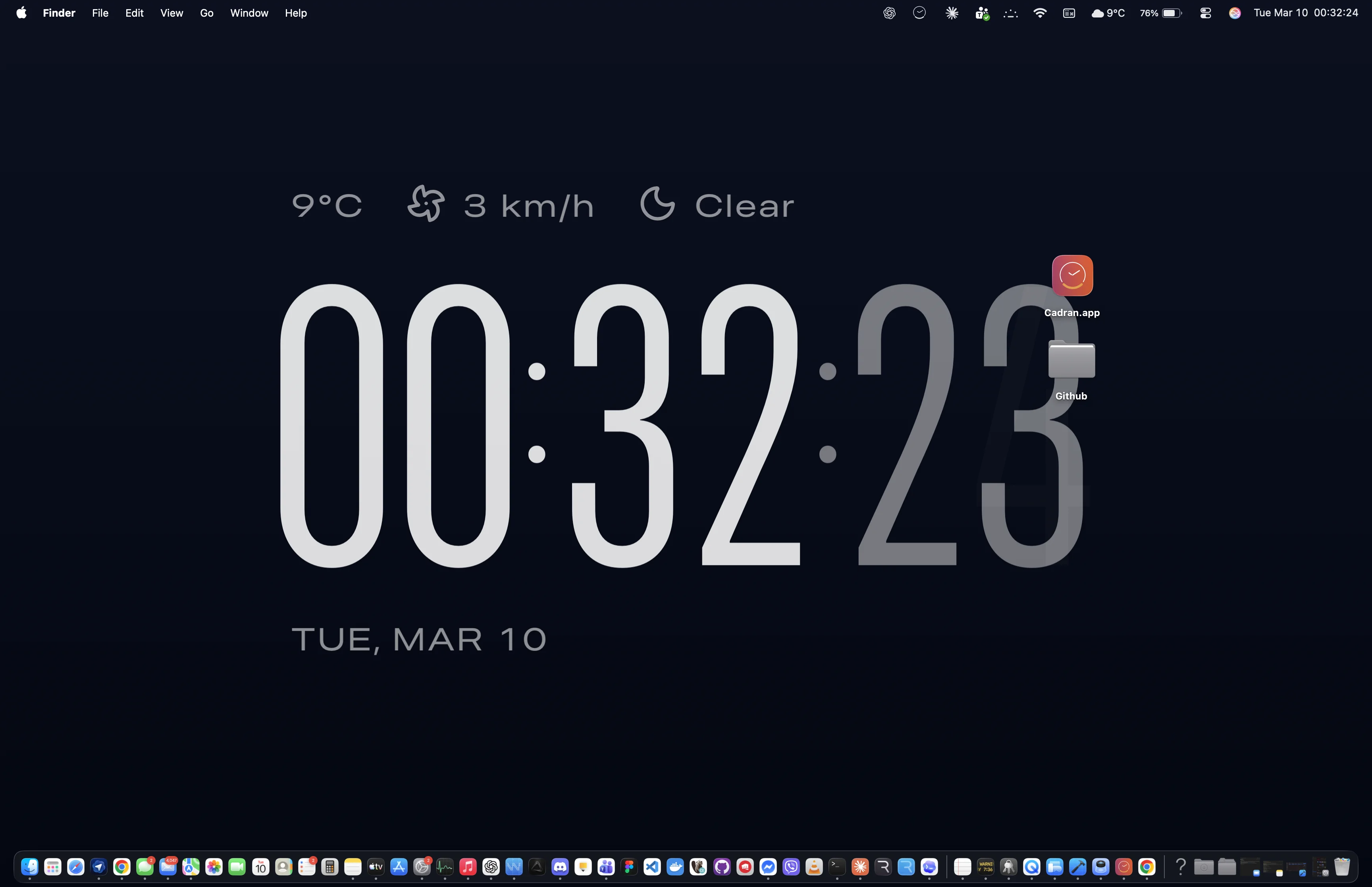
The wallpaper is the largest visual element on your desktop. A few guidelines: Dark wallpapers are easier to work in front of for long periods. They reduce glare, make white-text editors pop, and don't fight for attention against your app windows. If you work in a bright room, this matters less, but most developers and designers end up on dark wallpapers for a reason. Avoid busy patterns or photos with lots of detail. They compete with your icons and make file names harder to read. The best desktop wallpapers are simple: a gradient, a solid color, an abstract texture, or a photo with a clear focal point and quiet edges. macOS Dynamic Wallpapers (the ones that shift with time of day) are underrated. The Mojave desert, the macOS Sonoma landscape: these change subtly throughout the day and give your desktop a sense of time passing without being distracting. For something more functional, wallpaper-layer apps can render useful information directly on your background. Cadran puts a clock on your wallpaper (behind your icons, not on top), other apps do weather, system stats, or live video. The key is that these render at the wallpaper layer, so they never cover your content.
The small details that add up
Once the big elements are dialed in, a few smaller tweaks help: Change your accent color. System Settings → Appearance lets you change the system accent color (the tint on buttons, selections, and toggles). Matching it to your wallpaper's dominant color makes the whole system feel more cohesive. Pick a screensaver that matches your desktop. If you use a dark wallpaper, a bright white screensaver is jarring when it kicks in. macOS has clock screensavers, slow-motion aerials, and abstract options. Some wallpaper apps (like Cadran) use the same content for both wallpaper and screensaver, so the transition is seamless. Use Hot Corners. System Settings → Desktop & Dock → Hot Corners. Set one corner to show your desktop, another to start your screensaver. It's a 20-year-old macOS feature that most people forget exists, and it's faster than any keyboard shortcut for quick desktop access. Consider hiding the menu bar. System Settings → Control Center → "Automatically hide and show the menu bar." On a laptop screen especially, this gives you back a row of pixels and makes the desktop feel more immersive. The menu bar reappears when you hover at the top. The goal isn't to make your desktop Instagram-worthy. It's to remove friction and distraction so you can focus on whatever you opened your Mac to do.
An intentional desktop setup isn't about aesthetics for its own sake. It's about spending less mental energy on clutter and more on your work. Start with a clean desktop, pick a wallpaper that doesn't fight your apps, and tweak the details until it feels right. Every change is reversible, so experiment freely.