Most Mac clock tools solve only one context: menu bar OR screensaver OR widgets. The best desktop clock app should stay visible while you work, avoid clutter, and remain readable on any wallpaper.
What to evaluate first
Check four criteria: visibility during active work, battery impact, customization depth, and multi-monitor behavior. If one of these is weak, the clock becomes a gimmick instead of a daily tool.
Why wallpaper-layer clocks win
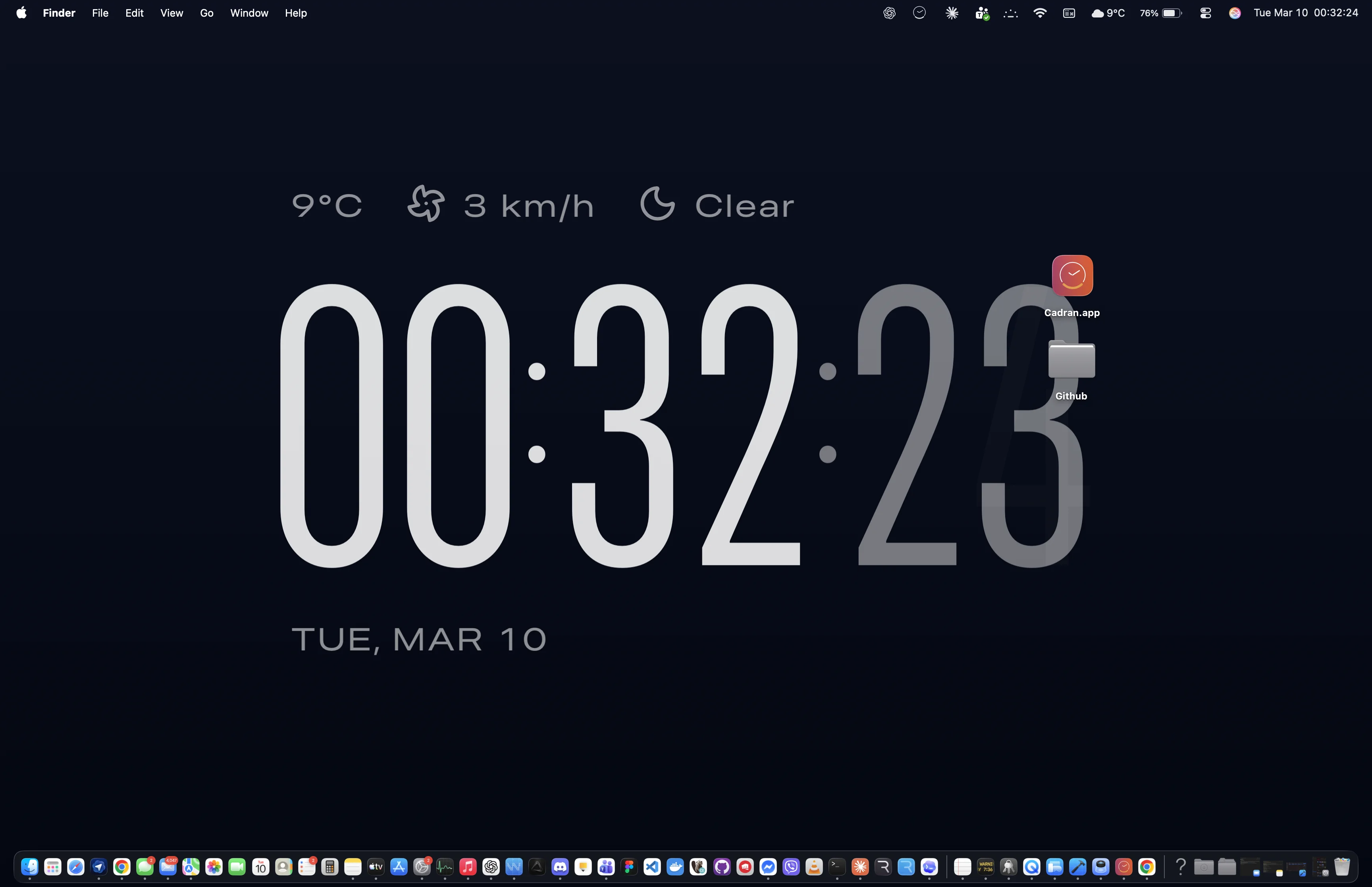
Wallpaper-layer clocks are visible without floating over your windows. They keep your workspace calm because the clock sits behind icons, not in front of your apps. This is the main reason they feel native instead of distracting.
Best pick for 2026
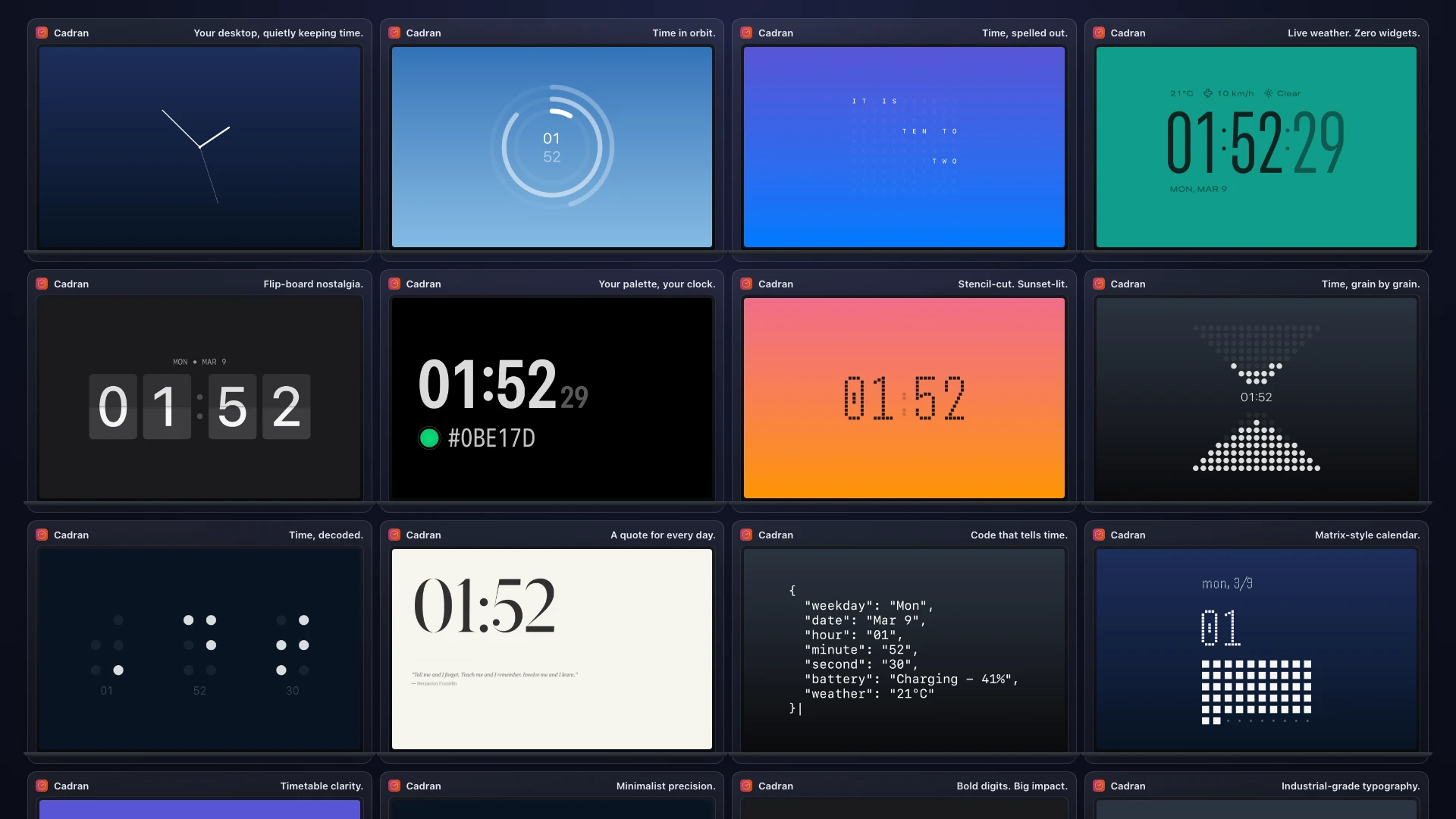
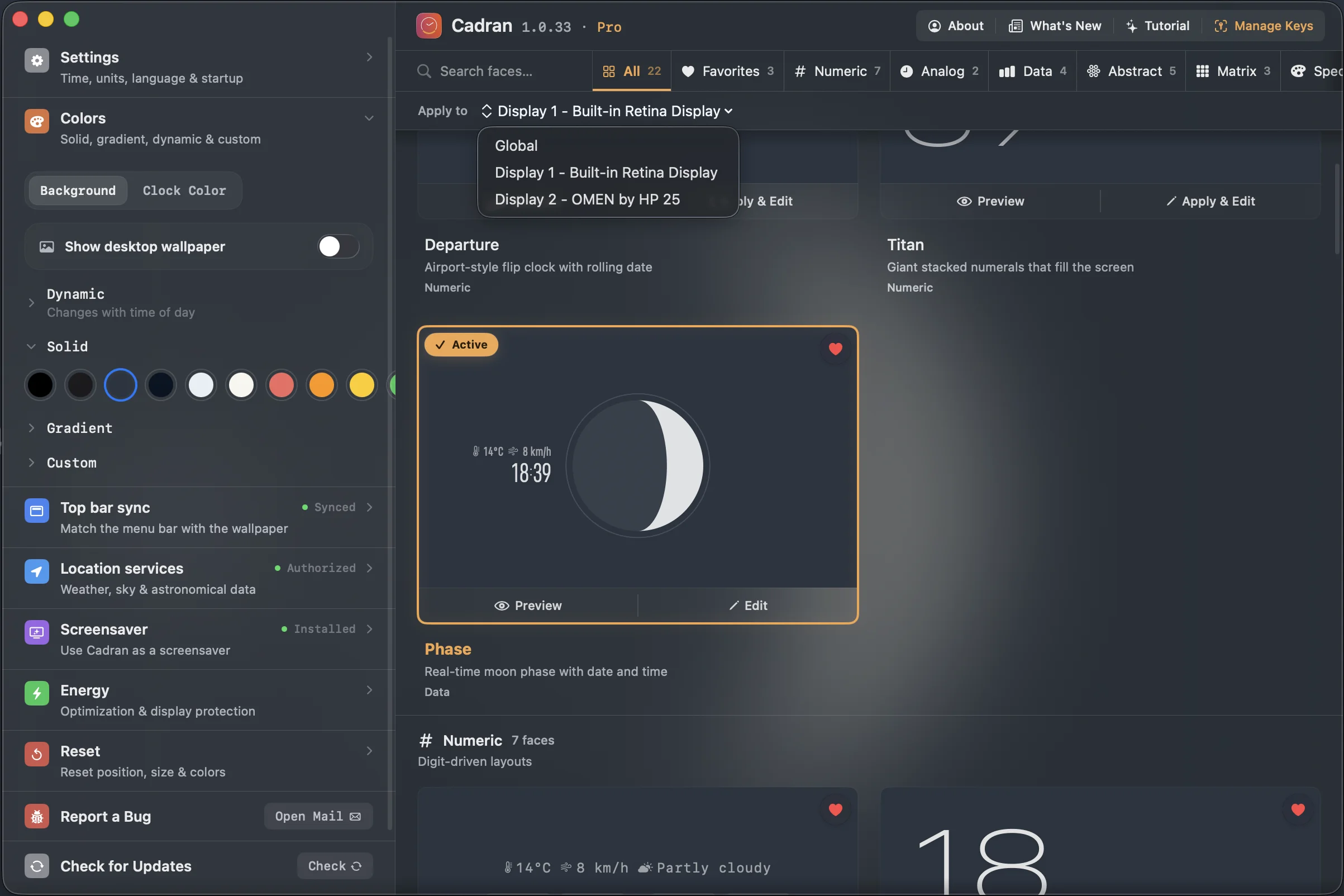
Cadran is the strongest option if you want a true desktop clock experience: 22 faces, weather-aware designs, per-monitor setup, and screensaver continuity. It is free to start and the Pro upgrade is a one-time purchase.
If you only need time in the menu bar, defaults are enough. If you want a designed clock that stays visible while you work, a wallpaper-layer app is the better category, and currently the best fit for most users.